
Raspberry Pi Serial Console
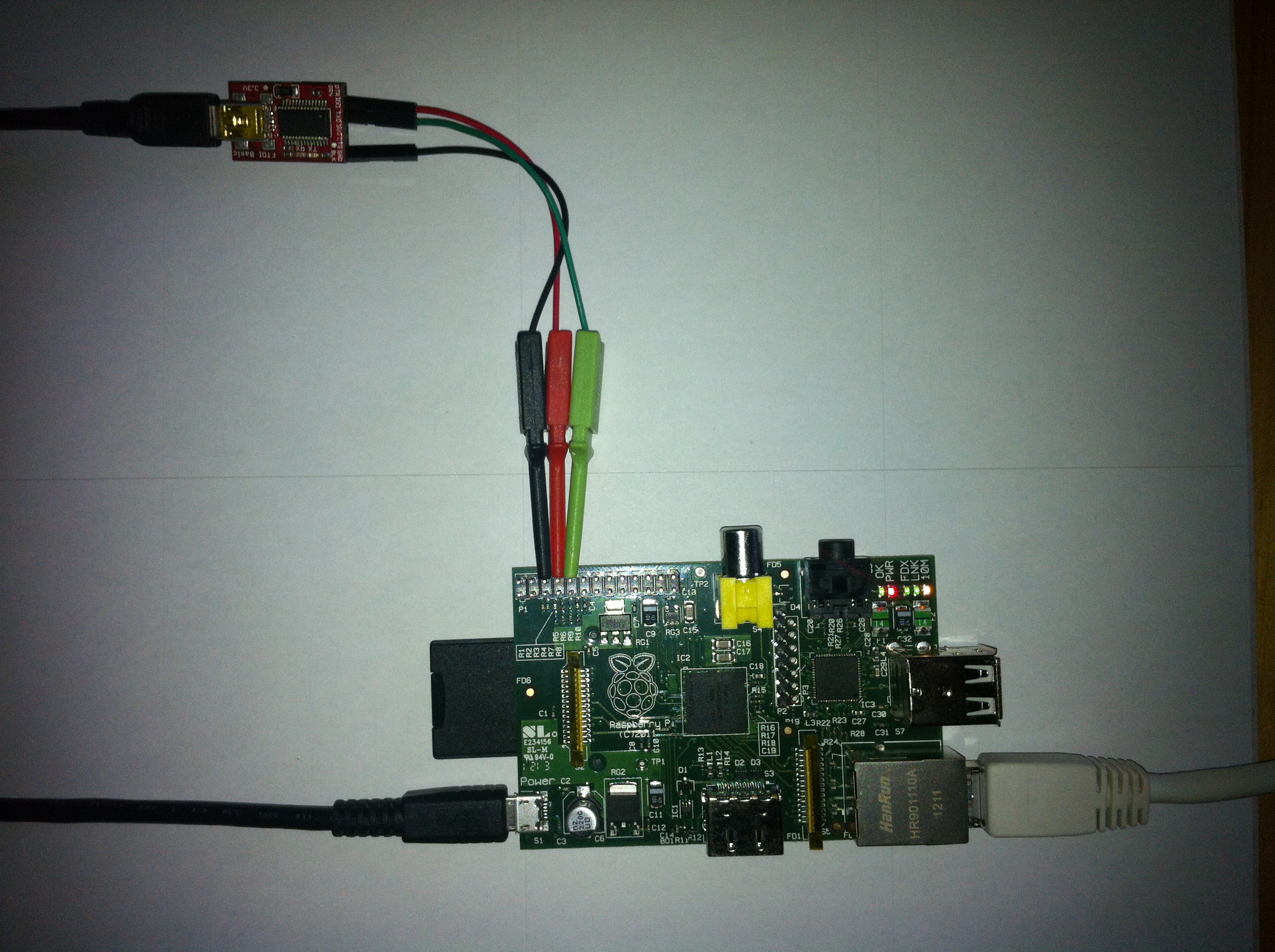
I’ve had a few questions about how I wired up my serial console on my Pi, so here’s a quick post about it.
The best place to start is the page on elinux.org that details the pins on the GPIO header (RPi low-level peripherals). You’ll notice you need pins 8 and 10 for the Pi’s TX and RX pins, you’ll also need a ground point which you can find on pin 6. You can then hook those straight into a 3.3V USB to serial converter’s GND, RX and TX pins and get a console running. Note that you need to connect the TX pins to the RX pins or you won’t be getting any output. Do not use a 5V cable. Do not connect the power pin on the FTDI adapter to any of the Pi’s power pins either.